Loved by 100+ creators
Do everything with one platform.
🔗 Short links 📱 Bio pages 🤳 QR codes 👤 Share Vcards 📃 Transfer files 🧑💻 Host HTML Sites
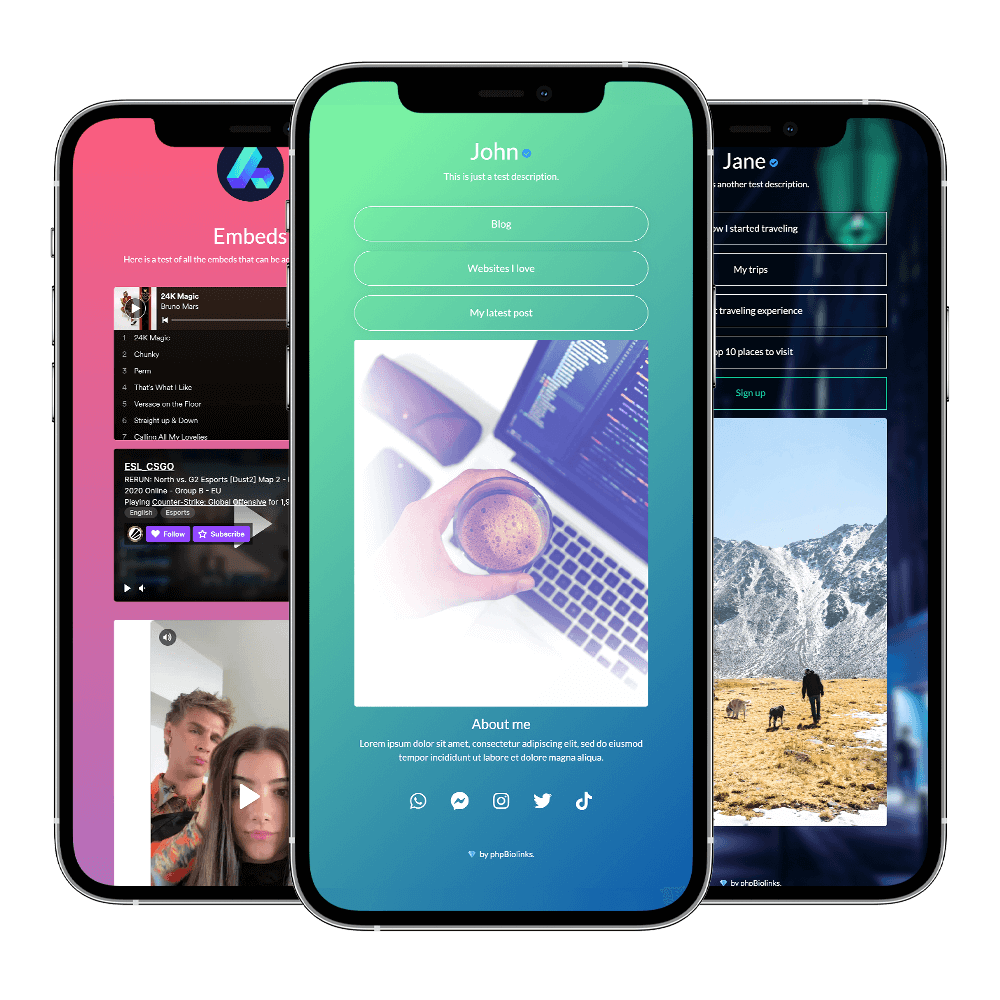
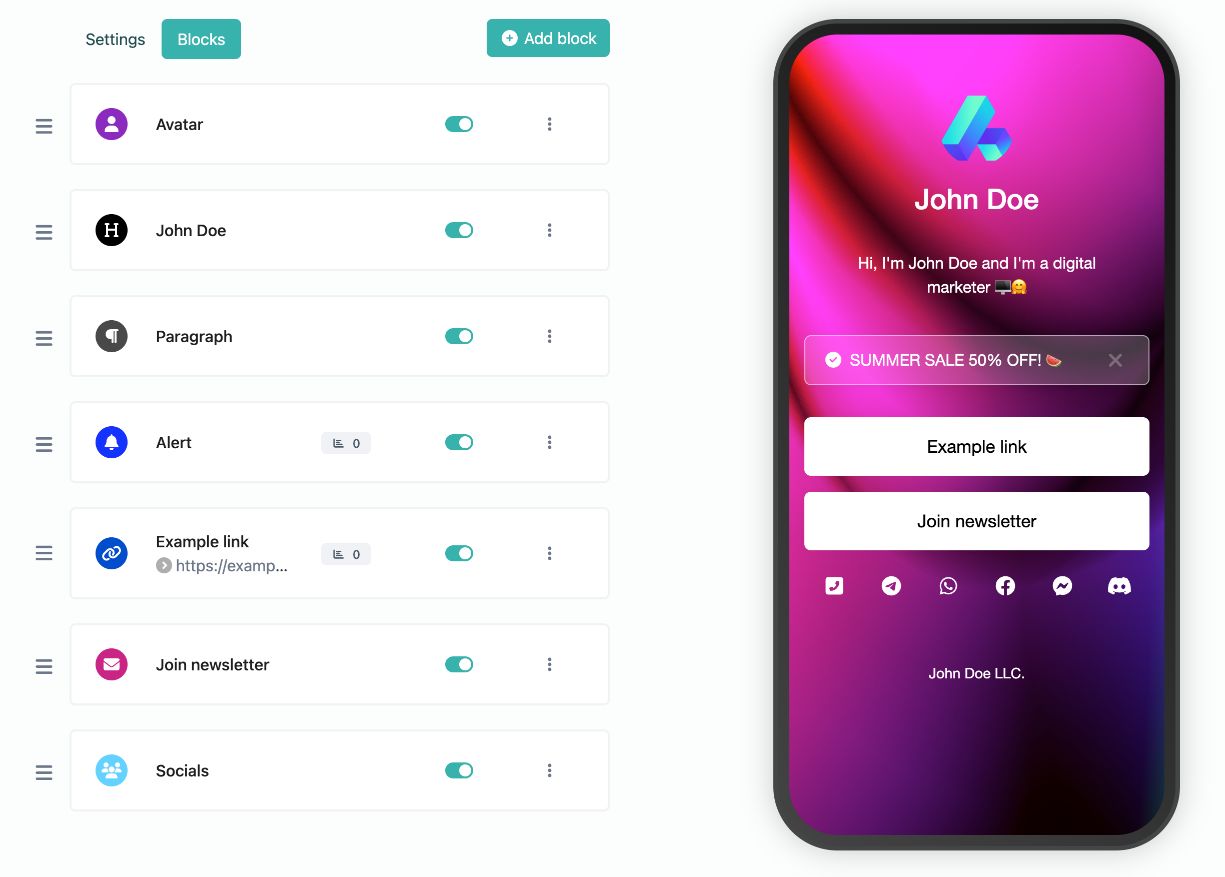
Bio link pages
Create your own unique & highly customizable bio link page with ease.
-
Custom colors & branding
-
Tons of ready-to-use components
-
SEO settings
-
Password protection, sensitive content warning
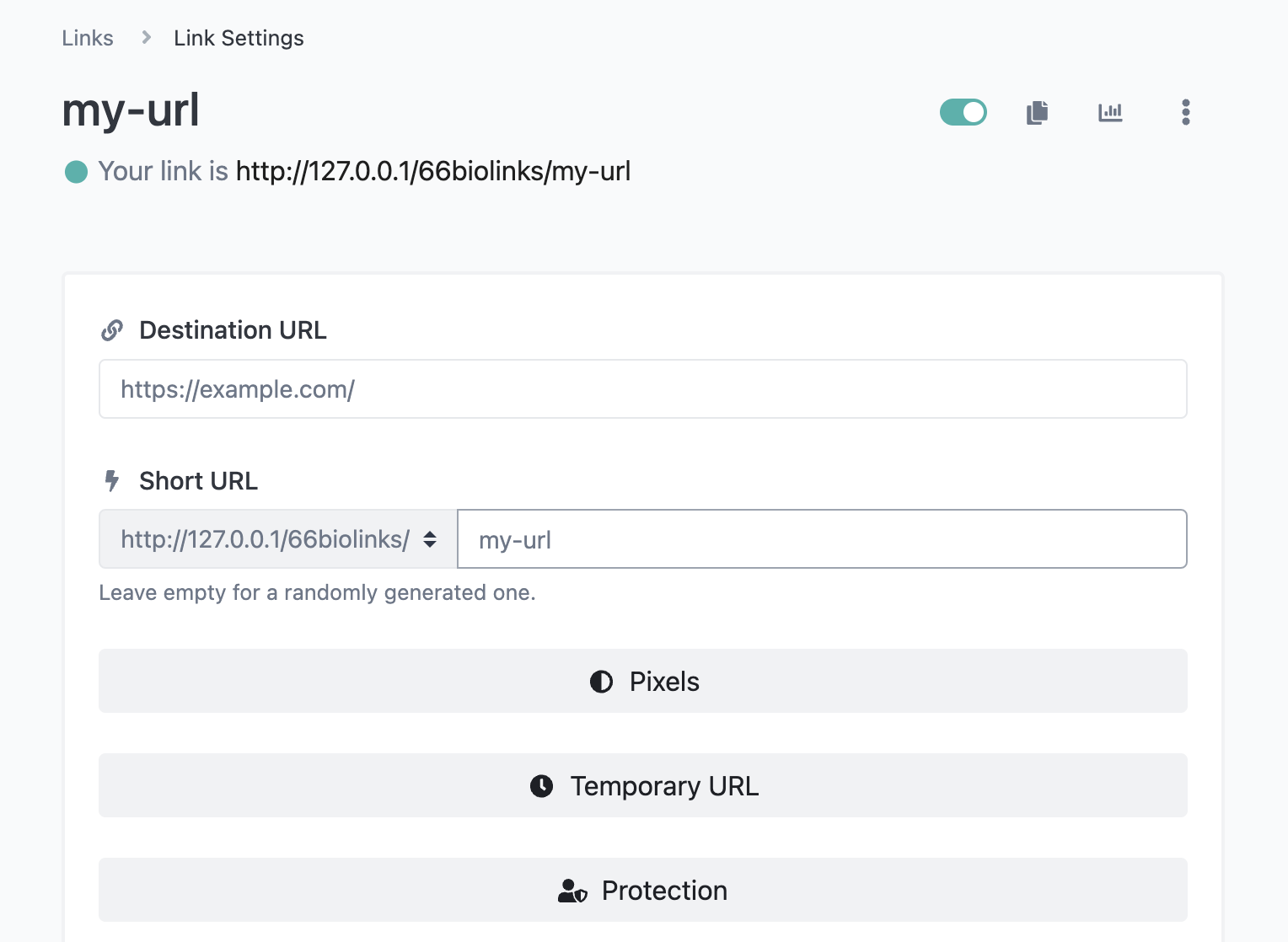
Shortened links
Yes! You can use our service as a shortener as well.
-
Scheduling & expiration limits
-
Country, device & language targeting
-
A/B Rotation
-
Password protection, sensitive content warning
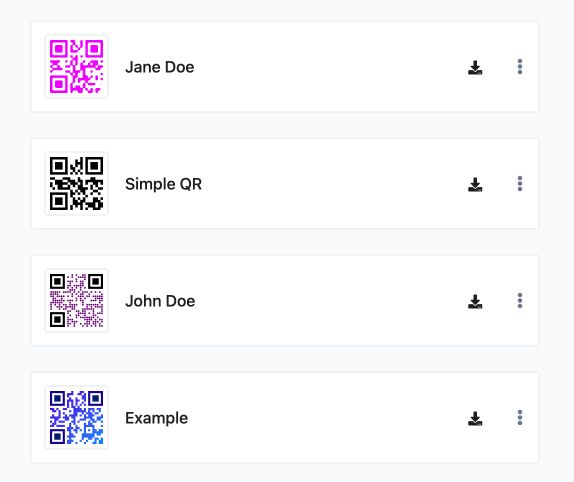
QR Codes
Fully featured QR code generator system with easy to use templates.
-
Custom colors with gradients
-
Custom logo
-
Multiple QR shapes to choose from
-
Vcard, WiFi, Calendar, Location..etc templates
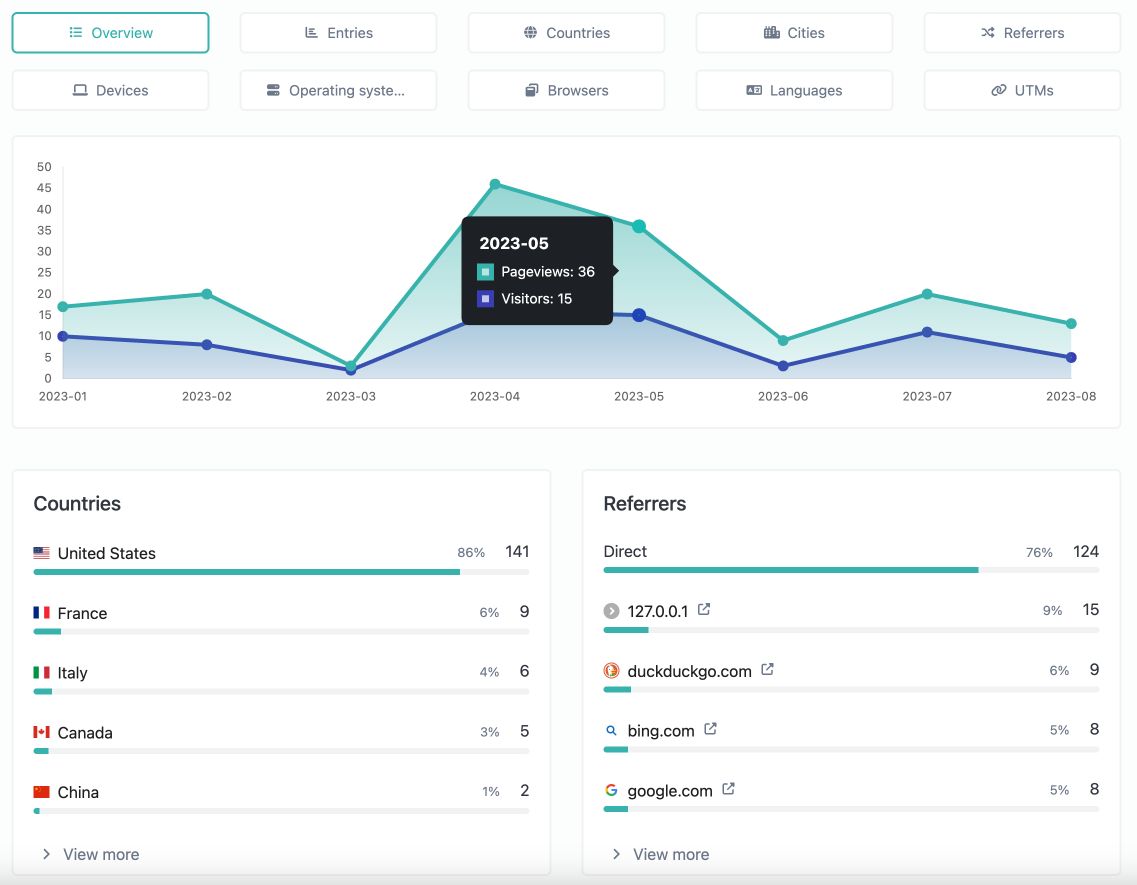
Built-in analytics
Easy to understand, yet detailed and comprehensive analytics for all your links. GDPR, CCPA and PECR compliant.
-
Countries & cities
-
Referrers & UTMs
-
Devices & operating systems
-
Browsers, Languages
File links
Generate dynamic, advanced & downloadable links to files.
Vcard links
Create dynamic digital contact cards, tracked & downloadable.
Tools
We are also offering you a set of 53 amount of useful web tools as a bonus.
Custom domains
Connect your own domain or use our predefined ones.
Projects
Easiest way to categorize your managed resources.
Links
54K+
QR Codes
2K+
Tracked pageviews
4,717,837+
Tracking pixels
All the links easily integrate with any of the following pixel providers.
Pricing plans
Choose and get exactly what you need.
무료
0
-
2 Biolink Pages
-
6 Biolink blocks
-
8 Enabled Biolink Blocks
-
50 Shortened Links
-
5 File Links
-
5 Vcard Links
-
5 QR Codes
-
0 Projects
-
0 Pixels
-
0 teams
-
0 team members
-
0 Custom Domains
-
30 days statistics retention
-
Custom Back-half
-
Deep linking
-
Removable branding
-
Custom Backgrounds
-
Custom branding
-
Dofollow links
-
Leap link
-
SEO Features
-
Extra fonts
-
Custom CSS
-
Custom JS
-
Indepth Statistics
-
Links scheduling & limiter
-
Cloaking short URLs
-
Auto open app on mobile
-
UTM Parameters
-
Password protection
-
Sensitive content
-
No ads
-
API access
0 Additional domains
라이트
15,000
150,000
0
KRW
-
50 Biolink Pages
-
12 Biolink blocks
-
All Biolink Blocks
-
1,000 Shortened Links
-
100 File Links
-
100 Vcard Links
-
Unlimited QR Codes
-
5 Projects
-
5 Pixels
-
0 teams
-
0 team members
-
1 Custom Domains
-
60 days statistics retention
-
Custom Back-half
-
Deep linking
-
Removable branding
-
Custom Backgrounds
-
Custom branding
-
Dofollow links
-
Leap link
-
SEO Features
-
Extra fonts
-
Custom CSS
-
Custom JS
-
Indepth Statistics
-
Links scheduling & limiter
-
Cloaking short URLs
-
Auto open app on mobile
-
UTM Parameters
-
Password protection
-
Sensitive content
-
No ads
-
API access
0 Additional domains
프로
30,000
300,000
0
KRW
-
100 Biolink Pages
-
15 Biolink blocks
-
All Biolink Blocks
-
2,000 Shortened Links
-
500 File Links
-
500 Vcard Links
-
Unlimited QR Codes
-
Unlimited Projects
-
Unlimited Pixels
-
0 teams
-
0 team members
-
5 Custom Domains
-
90 days statistics retention
-
Custom Back-half
-
Deep linking
-
Removable branding
-
Custom Backgrounds
-
Custom branding
-
Dofollow links
-
Leap link
-
SEO Features
-
Extra fonts
-
Custom CSS
-
Custom JS
-
Indepth Statistics
-
Links scheduling & limiter
-
Cloaking short URLs
-
Auto open app on mobile
-
UTM Parameters
-
Password protection
-
Sensitive content
-
No ads
-
API access
0 Additional domains
비즈니스
90,000
900,000
0
KRW
-
1,000 Biolink Pages
-
Unlimited Biolink blocks
-
All Biolink Blocks
-
5,000 Shortened Links
-
5,000 File Links
-
5,000 Vcard Links
-
Unlimited QR Codes
-
500 Projects
-
500 Pixels
-
0 teams
-
0 team members
-
20 Custom Domains
-
90 days statistics retention
-
Custom Back-half
-
Deep linking
-
Removable branding
-
Custom Backgrounds
-
Custom branding
-
Dofollow links
-
Leap link
-
SEO Features
-
Extra fonts
-
Custom CSS
-
Custom JS
-
Indepth Statistics
-
Links scheduling & limiter
-
Cloaking short URLs
-
Auto open app on mobile
-
UTM Parameters
-
Password protection
-
Sensitive content
-
No ads
-
API access
0 Additional domains
교육용
문의
학교를 위한 플랜입니다
-
1,000 Biolink Pages
-
Unlimited Biolink blocks
-
All Biolink Blocks
-
5,000 Shortened Links
-
5,000 File Links
-
5,000 Vcard Links
-
Unlimited QR Codes
-
500 Projects
-
500 Pixels
-
0 teams
-
0 team members
-
10 Custom Domains
-
90 days statistics retention
-
Custom Back-half
-
Deep linking
-
Removable branding
-
Custom Backgrounds
-
Custom branding
-
Dofollow links
-
Leap link
-
SEO Features
-
Extra fonts
-
Custom CSS
-
Custom JS
-
Indepth Statistics
-
Links scheduling & limiter
-
Cloaking short URLs
-
Auto open app on mobile
-
UTM Parameters
-
Password protection
-
Sensitive content
-
No ads
-
API access
0 Additional domains
Get started
Start using the swiss knife for the marketers.